Links to the most popular posts.
JDY-31 SPP Bluetooth 3.0 Module
The JDY-31 is a fairly simple Bluetooth 3.0 SPP module than can be used as a HC-06 replacement. It should be noted that it is not a direct replacement though as the AT commands are not identical. Bluetooth 3.0 is still Bluetooth classic but has an increased theoretical transmission speed of up to 24 Mbps. … Read more
The Complete Guide To The HC-06
The below are the official/original H-06 modules from Guangzhou Huicheng Information Technology Co., Ltd. (HC Huicheng Information for short) / Wavesen. The latest version has firmware hc01.comV2.0 and a blue LED but there are still many of the older versions around with firmware linvorV1.8, no blue LED. Both work the same. The newer firmware has … Read more
Bluetooth Serial App
Android Bluetooth serial apps come and Android Bluetooth serial apps go. The app I used to use is no longer available in Google Play and I am now using Serial Bluetooth Terminal by Kai Morich. Google Play tells me there are in-app purchases, but, apart from a donate link, I can’t find anything (maybe it’s … Read more
Simple Serial Monitor
Simple Serial Monitor is yet another stand alone replacement for the Arduino serial monitor. It is text only and is far from being a fully fledged terminal app. It does have a couple of features that make it a little better than the regular Arduino serial monitor, especially when used with UART modules like the … Read more
Arduino and Visual Basic Part 3: Send And Receive Serial Data Between An Arduino And Visual Basic
Although Part 2 was more advanced than part 1, part 2 still only sent data one-way, from the Arduino to the Visual Basic app, and the data was very basic. It’s time to spice things up with more complex commands and 2-way communication. Although I used the sketch and Visual Basic app from the previous … Read more
Arduino and Visual Basic Part 2: Receiving Data From the Arduino
This post continues from Arduino and Visual Basic Part 1: Receiving Data From the Arduino In part 1 data was sent from an Arduino to a Visual Basic app and the data was displayed in a text box. This was all well and good but the app had no idea what the data was, it … Read more
Arduino and Visual Basic Part 1: Receiving Data From the Arduino
This is the first part of a guide about using a serial port to connect an Arduino to a Visual Basic app running on a PC. Communication is via the regular USB serial UART channel. The first example is fairly simple, data is sent from the Arduino and displayed in a Visual Basic app. This … Read more
HM-10 Stand-Alone Remote Light Sensor Using The Built In ADC
Here we create a remote light sensor using a stand-alone HM-10 and a Light Dependent Resistor (LDR). The LDR is connected to peripheral HM-10 pin PIOB. Using MODE1 means we can read the value of PIOB from the Central HM-10 over the wireless connection. HM-10 Set up The two modules have been set to auto … Read more
HM-10 Programmable Pins
The HM-10 has 10 pins that can be user controlled, a couple are input only, the others can be input or output. Unfortunately, the pins we can control are not available on the breakout board so we need to attach a connection directly to the actual HM-10 (the small daughter board). Pin function The pins … Read more
Arduino to Arduino Communication Using HM-10s
Connecting 2 Arduinos using 2 HM-10s is fairly easy. It is straight forward to make a connection and once the connection is established the HM-10s UART layer does all the work for you. The UART layer does mean you have no control over the actual BLE details though. To make a connection, all you need … Read more
ESP8266 and the Arduino IDE Part 10d: IOT Monitor. Final Project
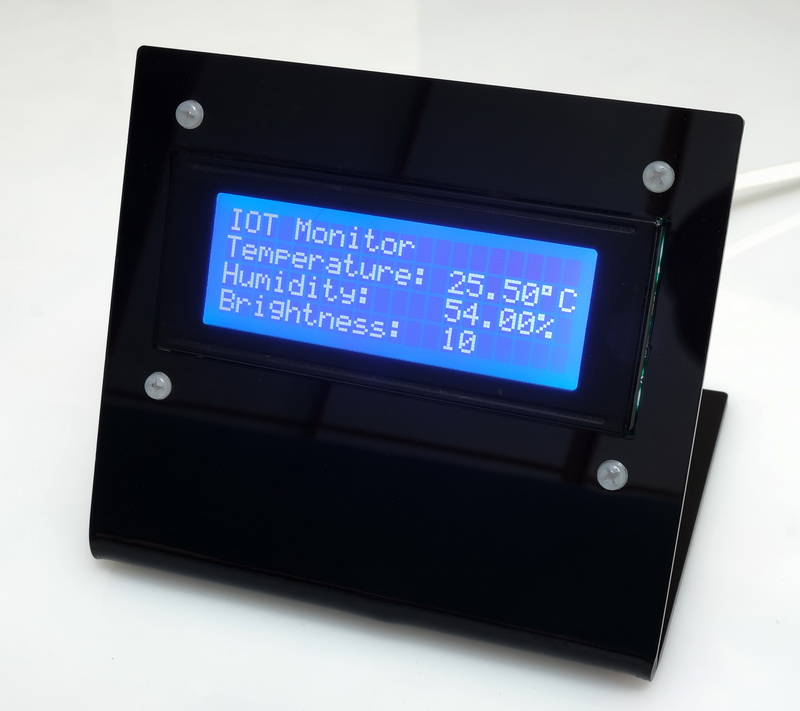
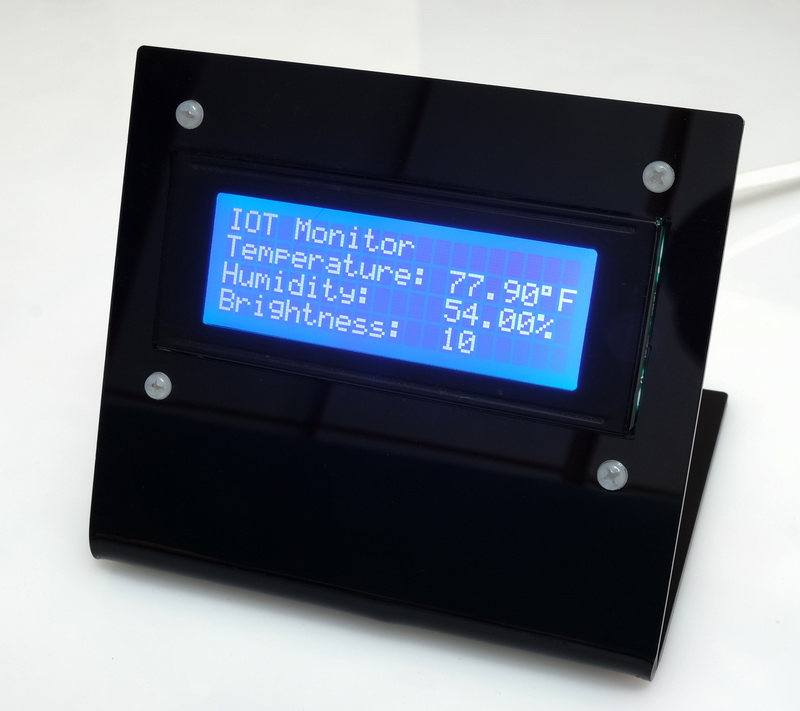
In this final part of this series I add a network connection manager, add a couple of extra functions, add a stand, fix a couple of problems.
Here is the final project.
ESP8266 and the Arduino IDE Part 10c: IOT Website. Add a LCD
25.06.2020: Updated the circuit diagrams.
So far I have kept to the plan.
1. Test the sensors with a basic sketch
2. Create a basic website using websockets to show the sensor data.
3. Enhance the website, add dials and a graph.
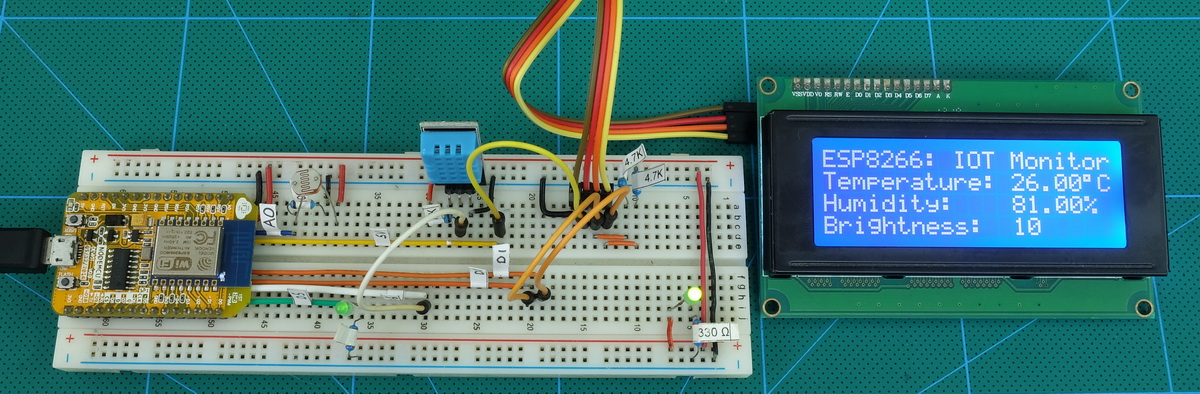
4. Add a LCD
5. Add Wifi Manager.
6. Maybe add time to the LCD version using a NTP server.
7. Put the project in to a stand
Sections 1 to 3 are complete and in this part I want to add a LCD.
ESP8266 and the Arduino IDE Part 10b: IOT Website. Enhancing the Website
Enhancing the Website
We are now ready to implement the final webpage.
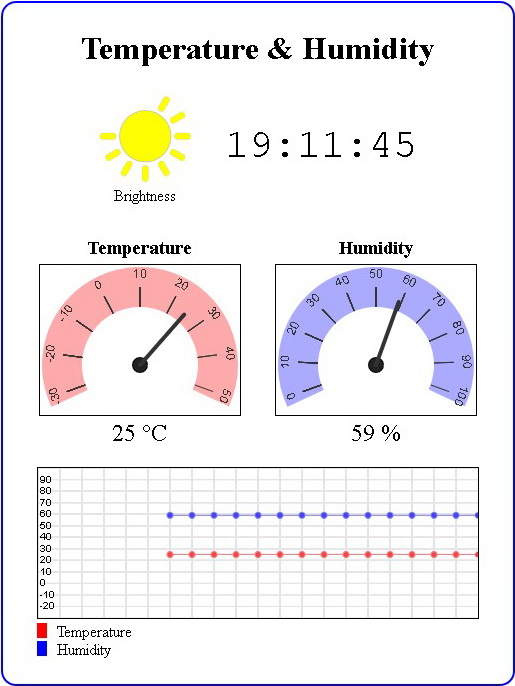 The hard part is the html and javascript for the widgets. The code for the sketch is pretty much the same as in the previous example.
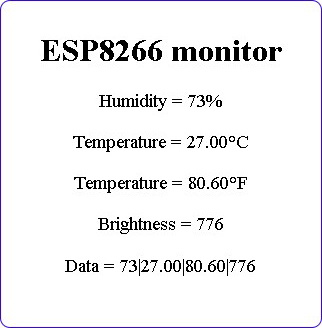 In the last post we ended with a working but very basic website. Now it’s time to make the webpage look nicer. Be aware that I am not a graphic artist and use the word nicer very loosely.
ESP8266 and the Arduino IDE Part 10a: IOT Website. Temperature and Humidity Monitor
It’s been a while since my last post on using the ESP8266 with the Arduino IDE. Life became busy and what free time I had I spent updating the dropController. Eventually guilt got the better of me though.
In previous posts we looked at various different things; using the ESP8266 to serve a webpage, using Wifi Manager to create a connect portal, creating a self updating page, using websockets, and more. Now we finally start putting everything together.
In part 8 we set up a self refreshing webpage that displayed the temperature and humidity from a DHT11. In part 9 we took a first look at websockets. In part 10 we combine the two and add a few embellishments.
Websockets can be fast, very fast, and since the webpage will not be updating very often this is not one of the best examples of websockets, it does continue the gentle introduction started last time though.
For a while now I have been wanting to create IOT/web widgets such as graphs and gauges. I wanted widgets similar to the things Blynk offers but I didn’t want the back end server. I wanted every thing self contained on the ESP8266. This project is the start of that.
The goal of this guide is to create a environment monitor station that has a LCD display and also a webpage using an ESP8266, a DHT11, a LDR, javascript, and websockets.
As always I will do this is steps so that each part is clear.
Controlling a Solenoid Valve from an Arduino. Updated.
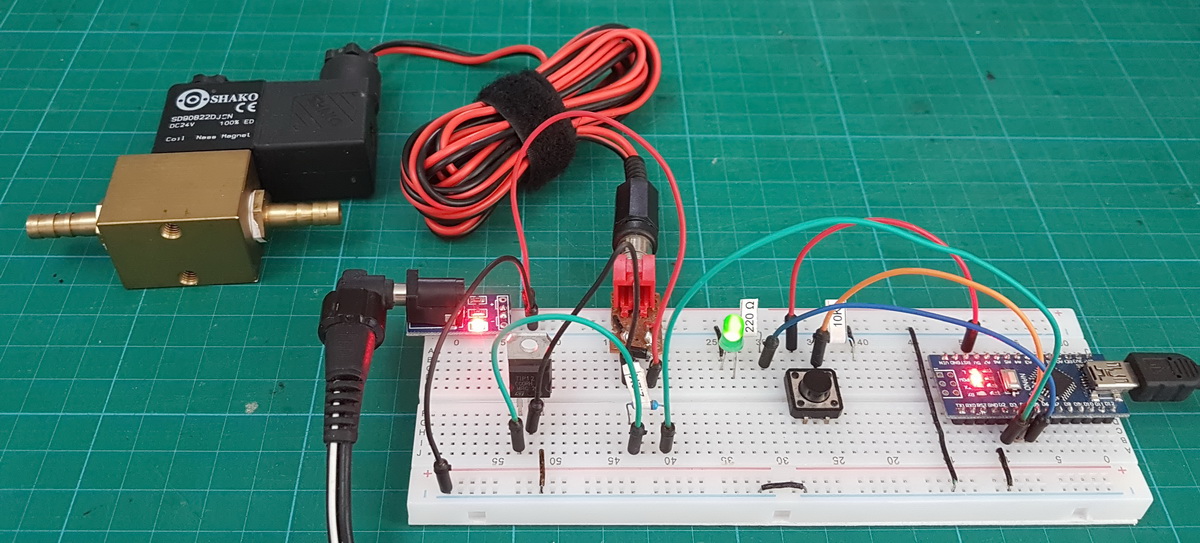
A very short post I made sometime ago has been more popular that it should have been. It wasn’t particularly detailed and it was in desperate need of an update. So here is the update, this time giving more details and adding mosfets.
Arduino Serial Part 4: ASCII data and using markers to separate data
This page has been updated. Please see the following newer guides:
Introduction, Using The Serial Monitor, and More
A Look at the Different Serial Libraries
Serial Commands Explained
Serial Data
Getting Started With Using Serial Communication To Send Commands
ASCII Data and Using Markers to Separate Data
In part 3 we sent and received single characters to control LEDs using a fairly simple technique. If all you need is to remotely turn a few things on and off then this method is probably the best. It is simple, easy to program, and reliable. Sometimes though single characters are not enough and we need to use more complex commands or we may want to send sensor data that comprises more than one character.
In this post I look at a few different techniques for sending complex data and commands; starting with functions that are built in the Arduino language and moving to our own functions that, IMHO, perform better and allow for better code.
Arduino Serial Part 3: Getting started with serial communication
This page has been updated. Please see the following newer guides:
Introduction, Using The Serial Monitor, and More
A Look at the Different Serial Libraries
Serial Commands Explained
Serial Data
Getting Started With Using Serial Communication To Send Commands
ASCII Data and Using Markers to Separate Data
In the last post I briefly talked about different data formats and how I recommend keeping things as simple as possible. With this is mind for a first project let’s create a simple blinking LED. We will have one Arduino controlling an LED on a second Arduino. Controls to turn the LED on or off will be sent via serial from the first Arduino to the second Arduino. This is as basic as it gets. Arduino Blink by remote control. The LED has only two states so simple control codes can be used and to start I am using 1 of on and 0 for off.
In these examples I am using Arduino Nanos but any kind of Arduino can be used and for this series I am using Arduino to Arduino communication. The techniques are exactly the same for any UART to UART device. For example, in Arduino to Arduino by Bluetooth I use exactly the same serial communication techniques wirelessly over Bluetooth.
Arduino Serial Part 2: Serial Data
This page has been updated. Please see the following newer guides:
Introduction, Using The Serial Monitor, and More
A Look at the Different Serial Libraries
Serial Commands Explained
Serial Data
Getting Started With Using Serial Communication To Send Commands
ASCII Data and Using Markers to Separate Data
In the previous post I went through the basics of using serial on an Arduino and ran through the different commands. In this post I want to talk about different types of serial data and some of the things you should consider before starting to create code. The type of communication you use or can use will depend largely on the project but there are things that can be considered before starting.
- Type of communication? 1-way or 2-way
- Type of data? Values or strings? Simple or complex?
- How much data and how frequent? A couple of values every few seconds or a high rate continuous stream.
- Is the data critical? Must you be sure you receive all the data or can you afford to lose some of it.
Arduino Serial Part 1
This page has been updated. Please see the following newer guides:
Introduction, Using The Serial Monitor, and More
A Look at the Different Serial Libraries
Serial Commands Explained
Serial Data
Getting Started With Using Serial Communication To Send Commands
ASCII Data and Using Markers to Separate Data
Here we look at using serial communication on the Arduino. Serial UART is one of the various ways an Arduino can communicate with other devices. This includes a host PC and using the Arduino serial monitor is communicating with the PC using serial UART.
Arduino Serial Monitor
End Of Line Characters
Formatting output using the tab command
How fast is serial
Different Arduino Serials
Hardware Serial/Serial
SoftwareSerial
AltSoftSerial
NeoSWSerial
Using a software UART and usb adapter to talk to a PC
Buffer Size
Serial Commands
ESP8266 and the Arduino IDE Part 9: Websockets
In the previous post I looked at how webpages could be made to auto reload and auto update and by using Javascript how specific parts could be updated without the need to load the whole page.
Although the Javascript makes the webpage appear slicker the website still uses the client request method as before (the webpage still had to request new data). The Javascript just made the experience nicer. This post starts to look at true asynchronous or two-way communication where either side can send data without being asked for it. This is achieved by using websockets.
ESP8266 and the Arduino IDE Part 8: Auto Updating Webpage
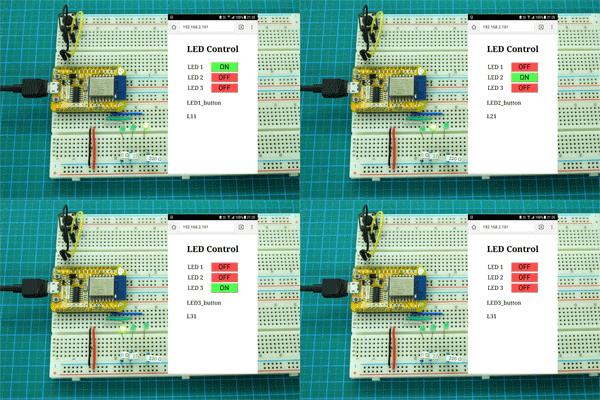
So far I have gone through controlling LEDs from a simple web app where all control is done via buttons in the app. This works well but you need to click a button in the app to make things happen, some kind of user action is required to update the webpage. Here we start to look at getting a webpage to update itself.
Arduino with RN4870/1
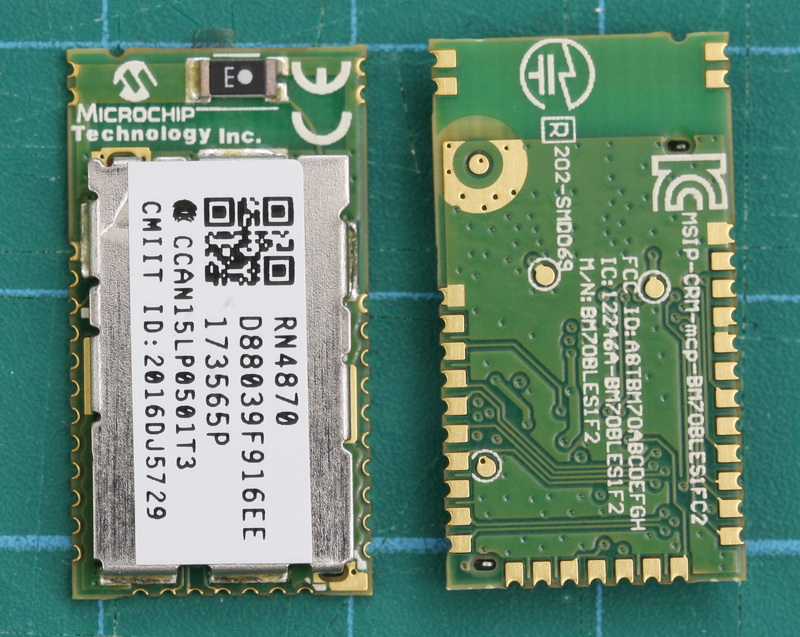 The RN4870/1 is a small (only 12mm wide) BLE module from Microchip. What makes this a little bit special (when compared to modules like the HM-10) are the advanced features that allow you to create your own services and characteristics. This opens up true BLE functionality. It has been available for a while now and I am surprised it is not more popular in the hobby area.
The RN4870 is very different to common hobbyist modules like the HM-10, AT-09, and BT05 and if this is all you have used you may need a refresher on BLE. Especially if you want to use your own services and characteristics.
ESP8266 and the Arduino IDE Part 6: JavaScript and AJAX
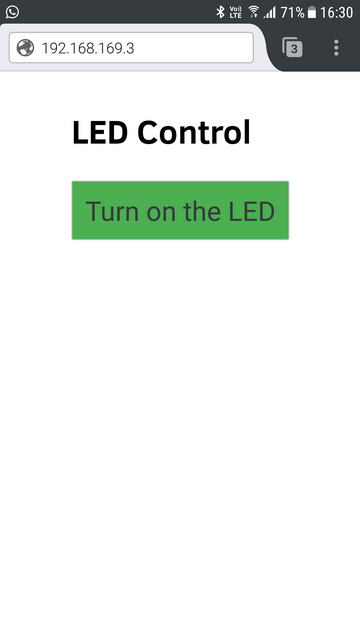 If you have followed the previous posts you will have a working, fairly robust, LED control. If you haven’t gone through the previous posts you can find links just below.
The webpage works well but the whole page reloads to update the button and controlling a single LED is not ground breaking. In this post I address the page reload by adding AJAX/JavaScript and in the next post I will add more controls.
ESP8266 and the Arduino IDE Part 5: adding wifiManager
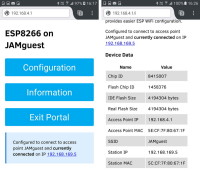
In the previous guides we connected the ESP8266 to a local network using hard coded credentials. It is fine for messing around with examples and when developing sketches but not very convenient or practicle for final projects.
What happens if you want to move the ESP8266 to another network or if you buy a new router? You need to change the sketch and re-upload. It would be better if we could pick the network to use at run time. This is exactly what WifiManager allows.