Arduino, HM-10 and App Inventor 2: Adding a slider

This post continues the Arduino, HM-10 and App Inventor 2 guide. A few people asked about adding a slider so here it is. Please beware; this is not a basic guide for using a slider in App Inventor 2. I am adding a slider to an existing app and have certain things (semi advanced) that I want to achieve.
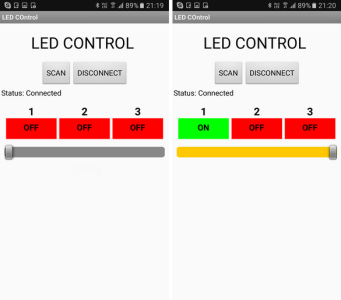
Arduino_HM-10_AI2_Adding_Slider_33 - updateApp_04

In the previous guide we created a basic Android app to control 3 LEDs. The app was developed in such a way to make adapting it as easy as possible. So let’s see if that is true and add a slider to control the brightness of one of the LEDs. We start with extending the app and then update the Arduino sketch.

Using the same command method as before, we will create an ascii command and send it to the Arduino. The command will be in the form “[Snnn]”. Where S is used to denote slider and nnn is a value from 0 to 255, or more specifically “000” to “255”. The Arduino will read the command and set the LED brightness accordingly. Using ascii for this keeps things fairly simply but it is not the fastest way to do it. The slider value will be from 0 to 255, this is actually the same value range as an 8bit byte. Using the ascii command we need 6 characters (including the square brackets). To send the actual value only would require 1 character (2 with a label/marker character). If all you are using is a single slider then there is no reason to use ascii.
Read more

Create A Bluetooth Joypad With App Inventor 2

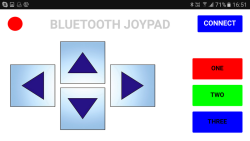
BluetoothJoyPad_draftLayout_01_800Here we create a basic Classic Bluetooth joypad for use on an Android device to control a microprocessor (Arduino) connected to a Bluetooth module. The app is fairly simply. There are 2 screens; the first is the main control panel and the second is a connection page.
When the CONNECT button on the main screen is clicked the second screen is opened to allow the user to connect to a Bluetooth device. The direction buttons, when clicked, transmit codes to the Arduino.

Read more

Arduino, HM-10 and App Inventor 2

Update: The BLE extension included with the examples is out of date and does not function fully any more. Download the latest version from the app inventer BLE extention download and replace the existing extension. Do not delete the old version, upload the new version and it will over write the older version.

You can check the latest version of the BLE extension on the app inventor BLE page.


Hopefully this guide will give you a good introduction to using the HM-10 with App Inventor 2. I also hope that this takes you beyond the usual starter guides that do not go past very basic information.

Although I am using an Arduino the principles will be the same for any other microprocessor or indeed for using the HM-10 on its own. Warning: This is going to be a very long post.

ARD_HM-10_AI2_01_00.gif

To use this guide you should be somewhat familiar with App Inventor, have a BLE enabled Android device, and of course have an Arduino and a HM-10.

Read more

ESP8266 and the Arduino IDE Part 4: Connecting to an ESP8266 with unknown IP address using mDNS

In the earlier parts we got the ESP8266’s IP address by displaying it in the serial monitor. This is OK for examples and development but not practical for real life projects. There are a few ways to get the IP address, here I look at mDNS. mDNS allows you use to connect to the ESP8266 using a name or url.

This sounds great, and it is unless you are an Android user. More on that later.

Read more

Switching Things On And Off With An Arduino

 
This guide has been updated. Please jump over to Switching Things On And Off With An Arduino


One of the first projects many people new to the Arduino do is blinking an LED and there many many guides on line. Unfortunately, many of the guides never go beyond the very basic first sketch. In this guide, I hope to help new users take the next step.

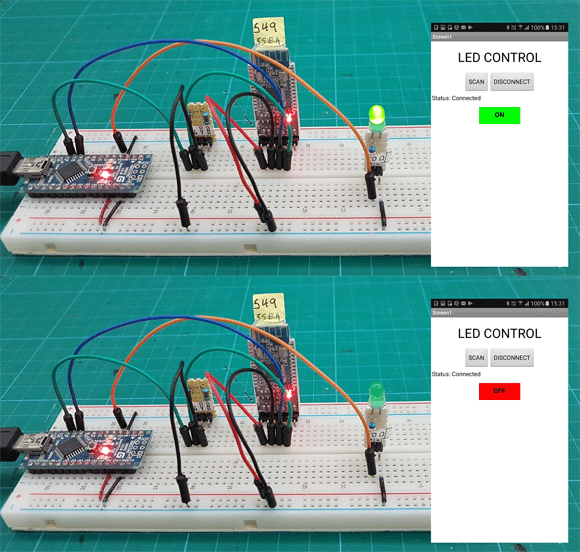
Besides the obvious fact that blinking an LED is cool in its own right it is a good exercise because switching an LED on and off is the same process for switching any digital device on and off. Once you can create the code to blink an LED you can create code to turn anything on and off. Of course, you do not need to control an LED, you can use the same methods to do almost anything that is controlled in the same way. For example, I use similar techniques when setting up remote controls using Bluetooth and wifi connections and instead of setting a pin state I send control codes.

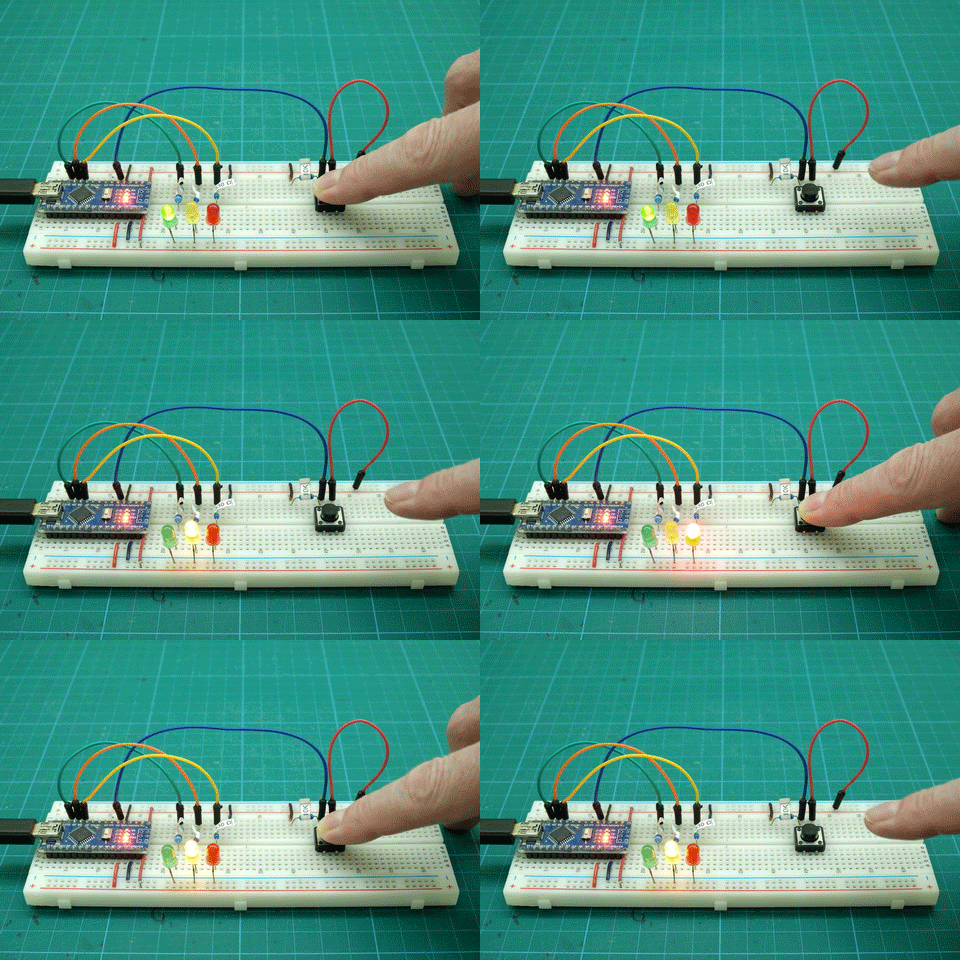
switchingThings_GIF04

Polling vs interrupts
Connecting Arduino pins directly to vcc
Polling. Example 01: Very simply press for on, release for off
Polling. Example 02: Press for on, release for off. Slightly refined
Polling. Example 03: Toggle switch
Polling. Example 04: Multiple states from a single push button switch
Polling. Example 05: Start and stop an action
Part-2-Interrupt-Techniques
Interrupt. Example 01: Turning an LED on and off
Interrupt. Example 02: Turning an LED on and off with debounce
Downloads

Read more

HC-05 with firmware 2.0-20100601

There are now many cheap and no brand HC-05 modules that use the 2.0-20100601 firmware and rather than keep making the same post for different modules I will have a single main post which, as I update and add to it, will become a single point of reference.

The 2.0-20100601 firmware is originally by HC/Wavesen and as the version number may suggest it is from 2010. I am not sure if other manufacturers use it under license or simply copy it since the genuine HC/Wavesen modules now use version 2.1 firmware.

HC-05
HC-05 with 2.0-20100601: AT Command Mode
HC-05 with 2.0-20100601: Connecting to an Arduino
HC-05 with 2.0-20100601: Initial Communications Test
HC-05 with 2.0-20100601: Main AT Commands
HC-05 with 2.0-20100601: AT Commands Dealing With Connections
HC-05 with 2.0-20100601: Making A Connection
Downloads

Read more

HC-05 (ZG-B23090W) Bluetooth 2.0 EDR modules

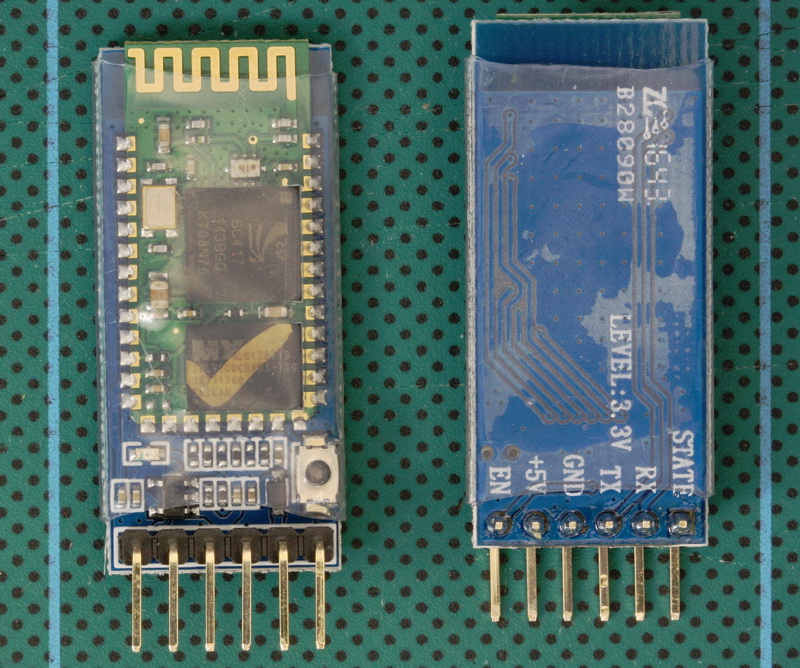
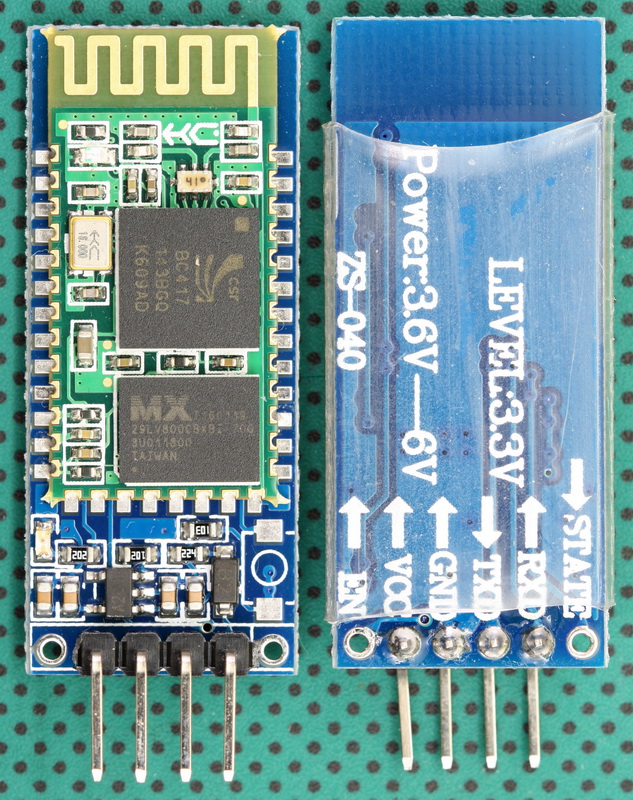
HC-05 - ZG1643 - B23090W_001_800The HC-05 (ZG-B23090W) uses a regular Bluetooth smd module based on the csr BC417 with a MX 29LV800CBXBI-70G flash memory chip. It appears to be using the HC/Wavesen 2010 firmware and a Google search for “HC-05 2.0-20100601” should give you plenty to read, including some of my older posts.

 
I have received a few comments about HC-06 and HC-05 modules that use a new breakout board (new to me at least). When I received the first comment I hadn’t seen these modules, by the time I had received the 4th or 5th comment the modules were all over Taobao so I decided to order a few (2 x HC-06 and 2 x HC05). I have no real use for these except to see if they are different to previous versions.


HC-05s

HC-05s are Bluetooth 2.0/2.1 EDR devices that have a serial UART layer on top of the Bluetooth. The UART layer makes them easy to use but hides the Bluetooth functions from the user. This is good if all you want is to make 2 things talk to each other. The HC-05 has two modes of operation; AT command mode and transmission mode. When in AT command mode all data received over the serial UART connection is treated as a command, and when in transmission mode, all data received over the serial UART connection is treated as data.

When in communication mode, if there is an active connection the data is broadcast to the connected device. If not connected, the data, disappears in to some mysterious void.

The HC-05 can operate as either a slave or master device. Slave devices cannot initiate connections, they can only accept them. Master devices can initiate and (depending on the actual module) sometimes accept them. If you want to use the module with a mobile device such as an Android phone, the phone will be the master device and so the HC-05 will need to be the slave. If you want to link two HC-05s, one will need to be a master and the other one a slave.

Read more

HC-06 (ZG-B23090W) Bluetooth 2.0 EDR modules

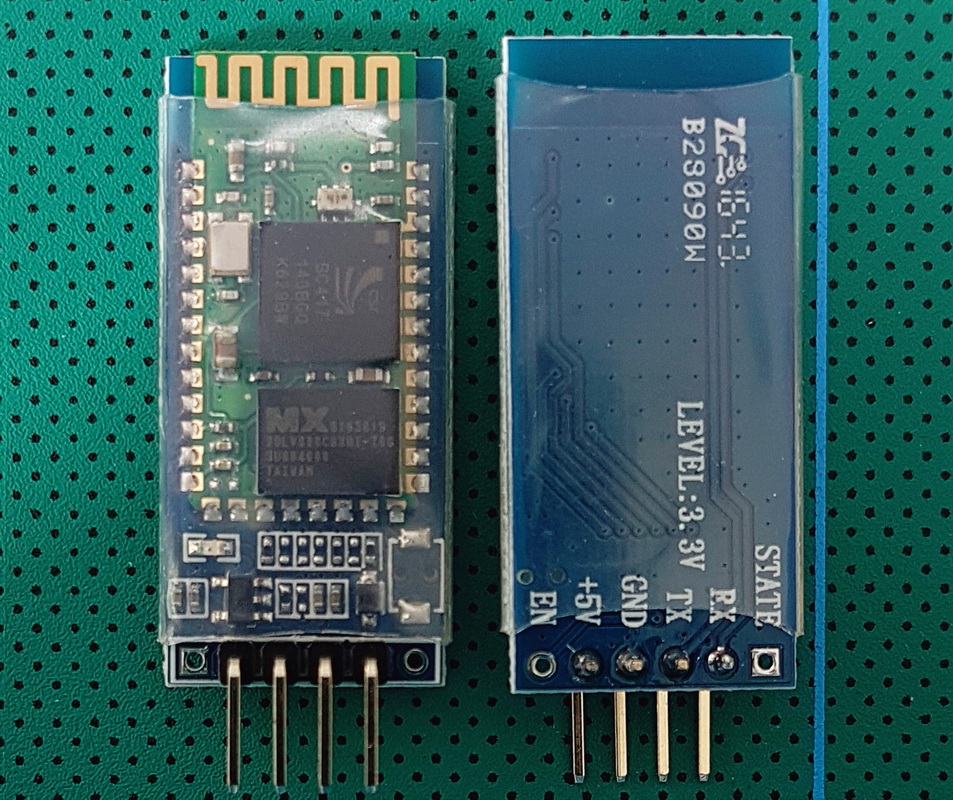
HC-06 - ZG 1643 - B23090W_001_800The HC-06 (ZG-B23090W) uses a regular smd Bluetooth module based on the csr BC417 chip with a MX 29LV800CBXBI-70G flash memory chip. The firmware is well documented and a Google search for “HC-06 linvor V1.8” should get you more than a few hits.

I have received a few comments about HC-06 and HC-05 modules that use a new breakout board (new to me at least). When I received the first comment I hadn’t seen these modules, by the time I had received the 4th or 5th comment the modules were all over Taobao so I decided to order a few (2 x HC-06 and 2 x HC05). I have no real use for these except to see if they are different to previous versions.

 
The HC-06 is a Bluetooth 2.0/2.1 EDR device that has a serial UART layer on top of the Bluetooth. The UART layer makes them extremely easy to use but hides the Bluetooth functions from the user. This is good if all you want is to make 2 things talk to each other.

The HC-06 has 2 modes of operation; AT mode and transmission mode. When the modules are first powered on they go in to AT mode. Here AT commands can be entered via the wired serial connection. After a connection has been made the modules go in to transmission mode. Here everything the modules receives via the wired serial connection is sent to the connected device. At commands cannot be entered again until the connection is broken.

HC-06s are slave only modules and require a master device to make a connection. Slave devices cannot initiate a connection which means you cannot link 2 HC-06s together. The master module is the HC-05 which can be either slave or master. Since the price for the HC-05 and the HC-06 is basically the same I would suggest buying HC-05s and not HC-06s.

Read more

ESP8266 and the Arduino IDE

Updated: 30.10.2017
The old guide was out of date and had become a little messy and I had been thinking about redoing it for a while. Also, how I use the ESP8266 has changed and since I am using one as part of a IOT Word Clock I am currently building I thought I would update the guide. So, here is the all new version 2.0. The post for the IOT Word Clock will come later, probably much later…

Part 1: The Esp8266 and setting up the Arduino IDE
Part 2: Control an LED from a web page using Access Point Mode (AP)
Part 3: Control an LED from a web page using Access Station Mode (ST)
Part 4: mDNS
Part 5: wifiManager
Part 6: JavaScript and AJAX
Part 7: More Controls. 3 LEDs
Part 8: Auto Updating Webpage
Part 9: First steps with Websockets
Part 10a: IOT Monitor part 1 – webpage
Part 10b: IOT Monitor part 2 – enhancing the webpage
Part 10c: IOT Monitor part 3 – adding a LCD
Part 10d: IOT Monitor part 4 – the final project

Read more

ESP8266 and the Arduino IDE Part 2: Control an LED from a web page using Access Point Mode (AP)

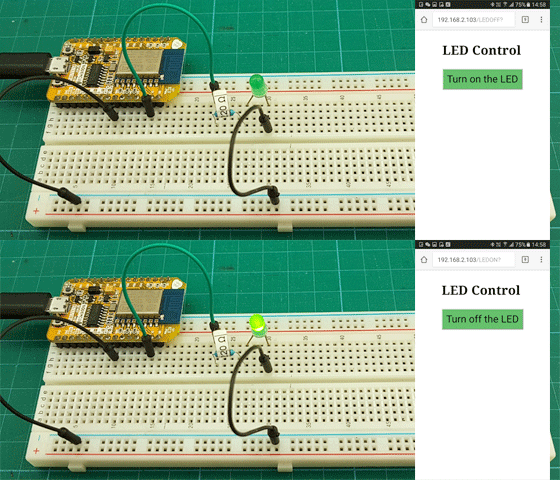
In the first part I explained how to set up the IDE and got the basic blink sketch working. Here I go through building a web page control panel to control the LED remotely. I will start with a basic web page and then slowly refine it so we end with a simple but elegant control panel.

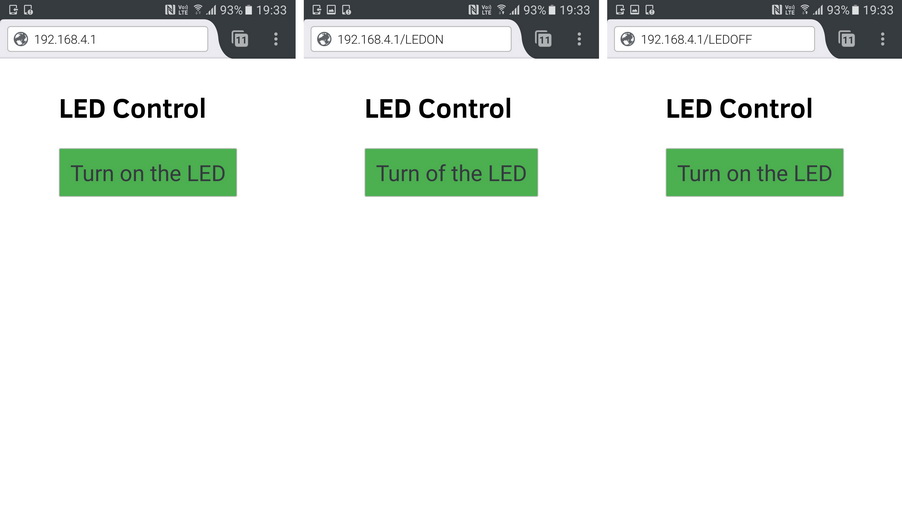
ESP8266_035_LED_Control_525

 
For this example I will be using the ESP8266 as an access point (AP Mode). This means the ESP8266 will create its own little network which we can connect to. The ESP8266 will then serve a small web page which we can view on a mobile device or any web enabled device such as a laptop.

I still have the LED connected to pin D1 but now I want to turn it on and off from a web page viewed on a mobile device. The web page will need 2 buttons, one for on and one for off. It would be nice if it also showed the current LED status. Something like “LED is on” and “LED is off”. Since this is a first example of a web control the actual web page should be as simply as possible.

I won’t go in to detail about creating web pages, if you are new to this there are many other sites to help you.

Read more

ESP8266 and the Arduino IDE Part 3: Control an LED from a web page using Station Mode

In the previous part we used the ESP8266 in Access Point mode where the ESP8266 generated it’s own mini network. Here we get the ESP8266 to connect to an existing wifi network. To do this we use the ESP8266 in Station Mode (STA). Switching to Station Mode is done by the library automatically so we do not need to mess around.

When using the ESP8266 in Station Mode, the connecting device has to be connected to the same network as the ESP8266. In AP mode, since the ESP8266 creates its own network, other local networks don’t matter.

ESP8266_Part3

Read more

ESP8266-01 Programming Breakout Board

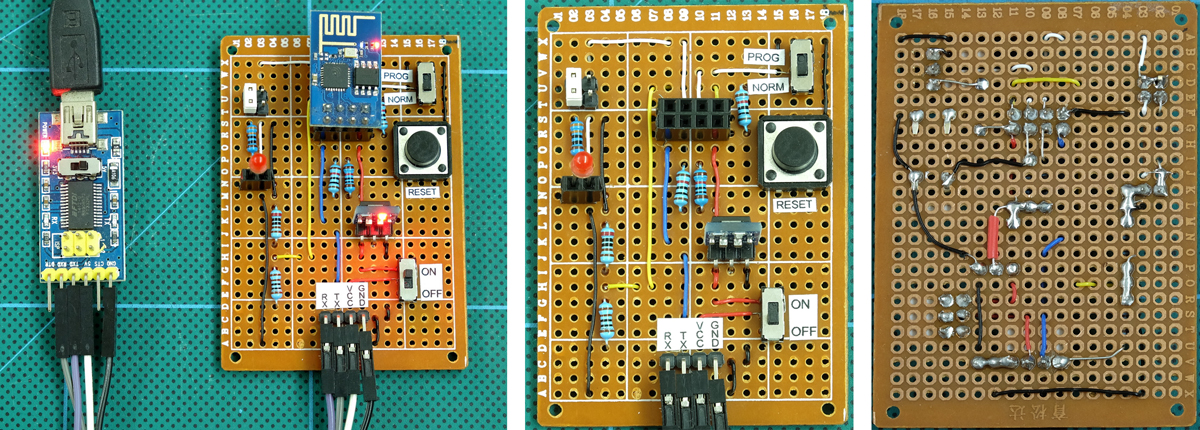
Here is my 5V ESP8266-01 programming breakout board.

ESP8266-01_ProgrammingBoard_002_1200

I am now programming the ESP8266’s via the Arduino IDE and I found using bread boards and wires was annoying, especially because I have a habit of VCC and GND mix up. I have a small pile of dead ESP8266-01s, dead due to shorting them while moving wires around. They are next to the pile of Arduino Nanos I have killed for the same reason.

Since starting to use the ESP8266’s again I have made a couple of breadboard friendly breakout boards. Version 1 worked but moving wires was inconvenient (the ESP8266 was in the way). Version 2 was better but I still had to mess with power, resistors and lots of wires. This lead me to version 3. A fully self contained programming breakout board.

Read more

Arduino with HD44780 based Character LCDs

Introduction
Arduino Libraries
Parallel Interface: Getting Started with a JHD162A 16×2 display
I2C Interface: Getting Started with a J204A 20×4 display with I2C daughter board
Creating custom characters

Introduction

HD44780 compatible LCDs come in many shapes and sizes and two very common ones are the 16×2 and 20×4 characters. Although most screens come with a back light some do not. And although the original interface is parallel some screens come with an I2C adapter/daughter board pre attached (you can buy the I2C adapters separately).

A 16x2 and a 20x4 character LCD display
A 16×2 and a 20×4 character LCD display

Read more

Arduino with Optocouplers

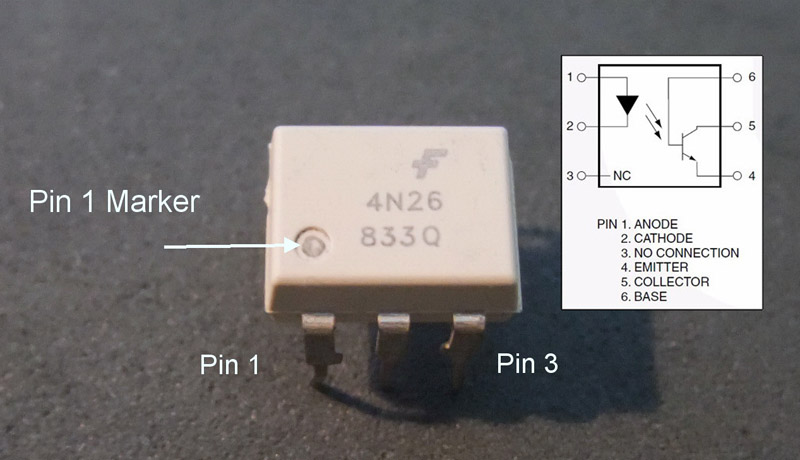
There are many types of optocoupler and you chose one based on the requirements of your circuit. My intention was to create a automatic shutter trigger for my Canon camera, so the circuit was a 5V Arduino and a Canon 40D which has about 3.2V on the shutter release connections. Due to the relatively low voltages there are many suitable optocouplers to pick from. I already had a Fairchild 4N26 so this is the one I used.

4N26

4N26

Optocouplers are digital switches. They work by using an LED emitter paired with a photo detector transistor. This means they can be used to allow one circuit to switch a separate circuit without having any electrical contact between the two. Basically, if you put a current through pins 1 and 2 and light the LED the photo detector transistor detects the light from the LED and allows a current to flow through pins 5 and 4. No current on pins 1 and 2 means current does not pass through pins 5 and 4.

Read more

ESP8266-01 Bread Board Adapter Version 2

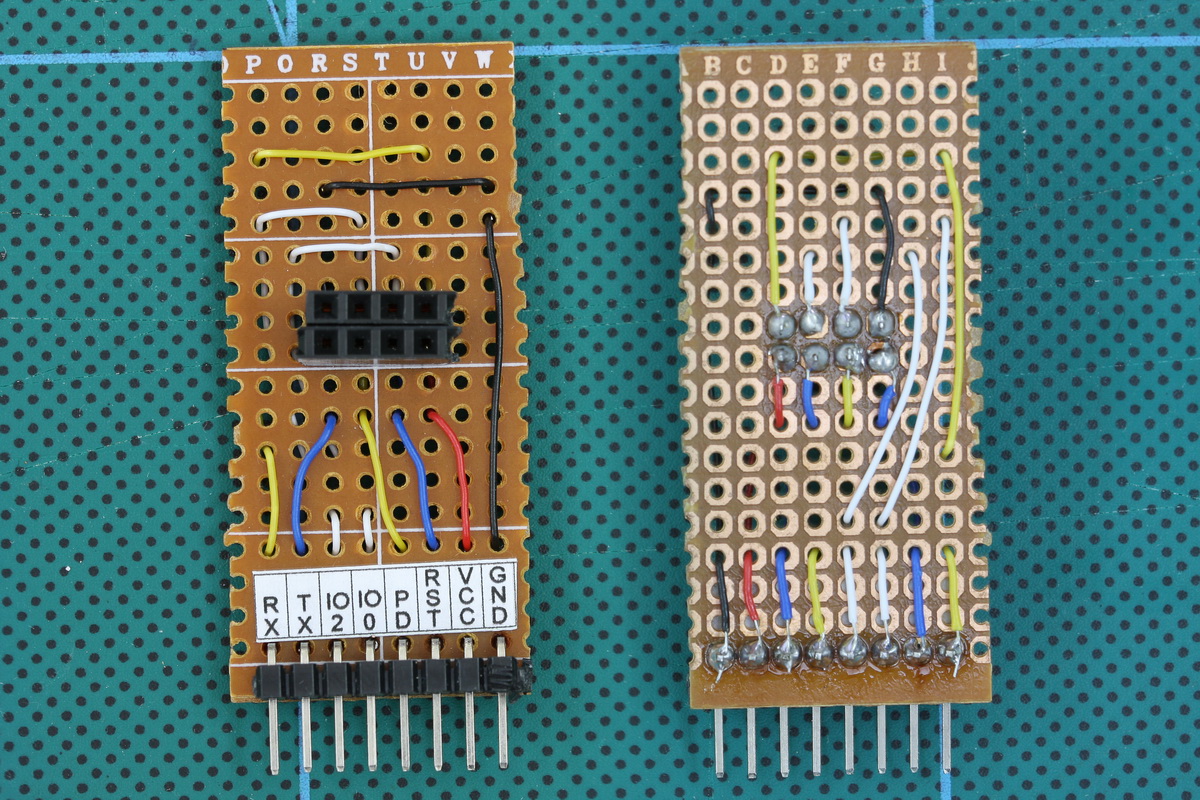
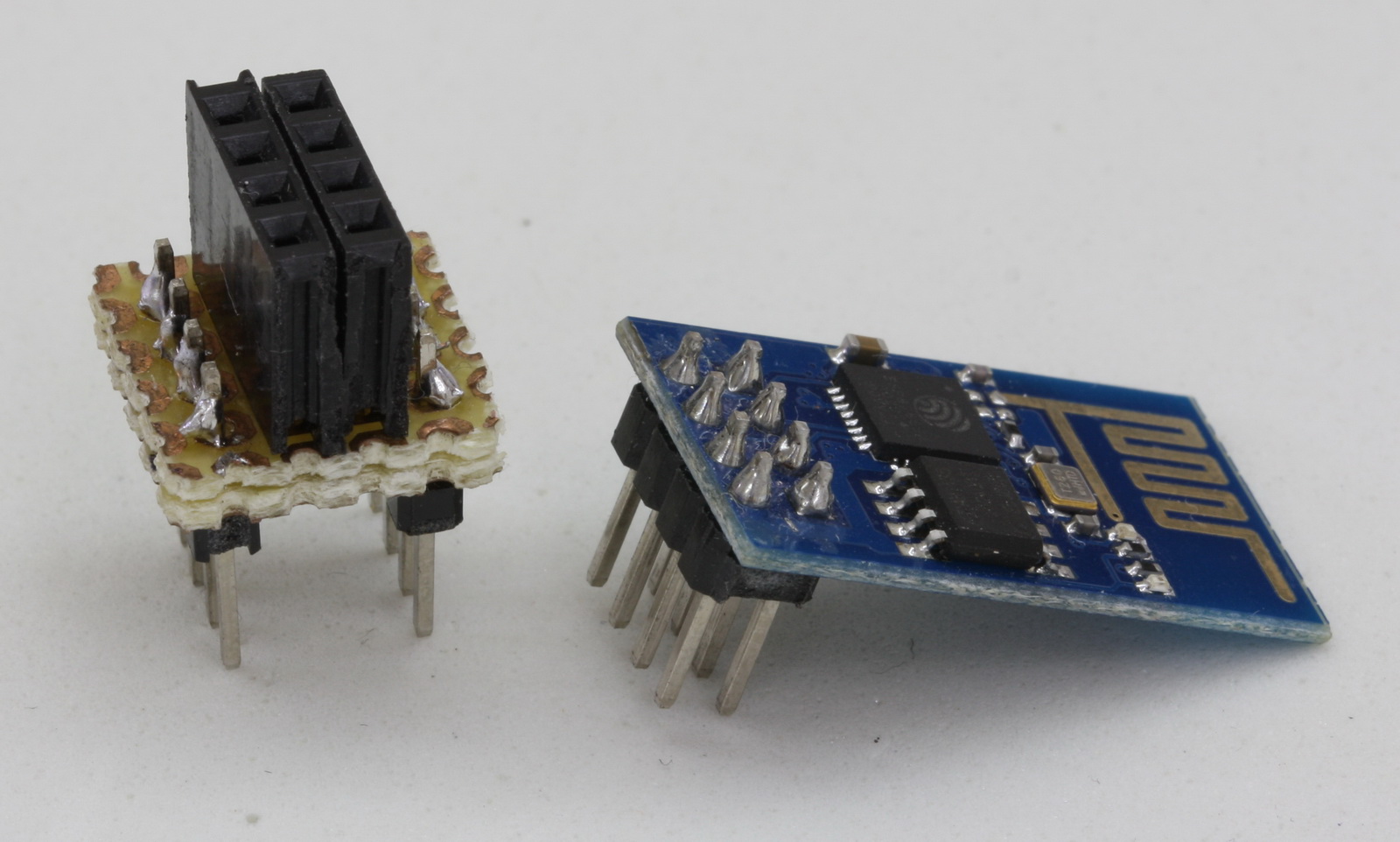
I have been playing with the ESP8266 modules again and had made a small adaptor to enable me to use the ESP8266 on a breadboard. It soon became apparent the adaptor was not the best design as it blocked access to some of the rear connections. This lead me to version 2.

ESP8266 Adaptor version 2

Read more

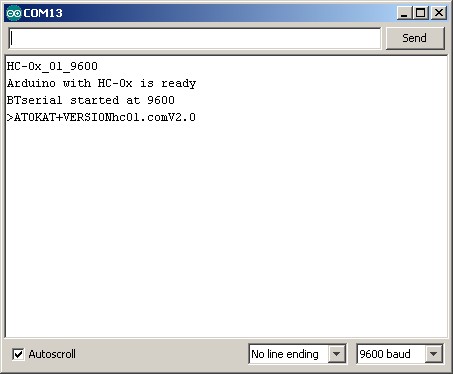
HC-06 hc01.comV2.0

HC-06_hc01.com_02_800

ZS-040_HC-06_hc01.comV2.0

The latest zs-040 HC-06 modules have an updated firmware, hc01.comV2.0. This firmware has the following defaults:
– baud rate = 9600
– password = 1234
– nl/cr line endings not required.
– AT commands are required to be in upper case
– Firmware version = hc01.comV2.0
– Name = HC-06
– No parity
– SLAVE mode

Since the Bluetooth hardware is the same as the previous zs-040 HC-06s the Bluetooth specs are also the same. Bluetooth 2.0 EDR, SSP.
These use a slightly different BT module than the other zs-040 boards and there is a blue LED at the top left of the daughter board.

Read more

Arduino to Arduino by Bluetooth

Updated 12.06.2016: Added example 2

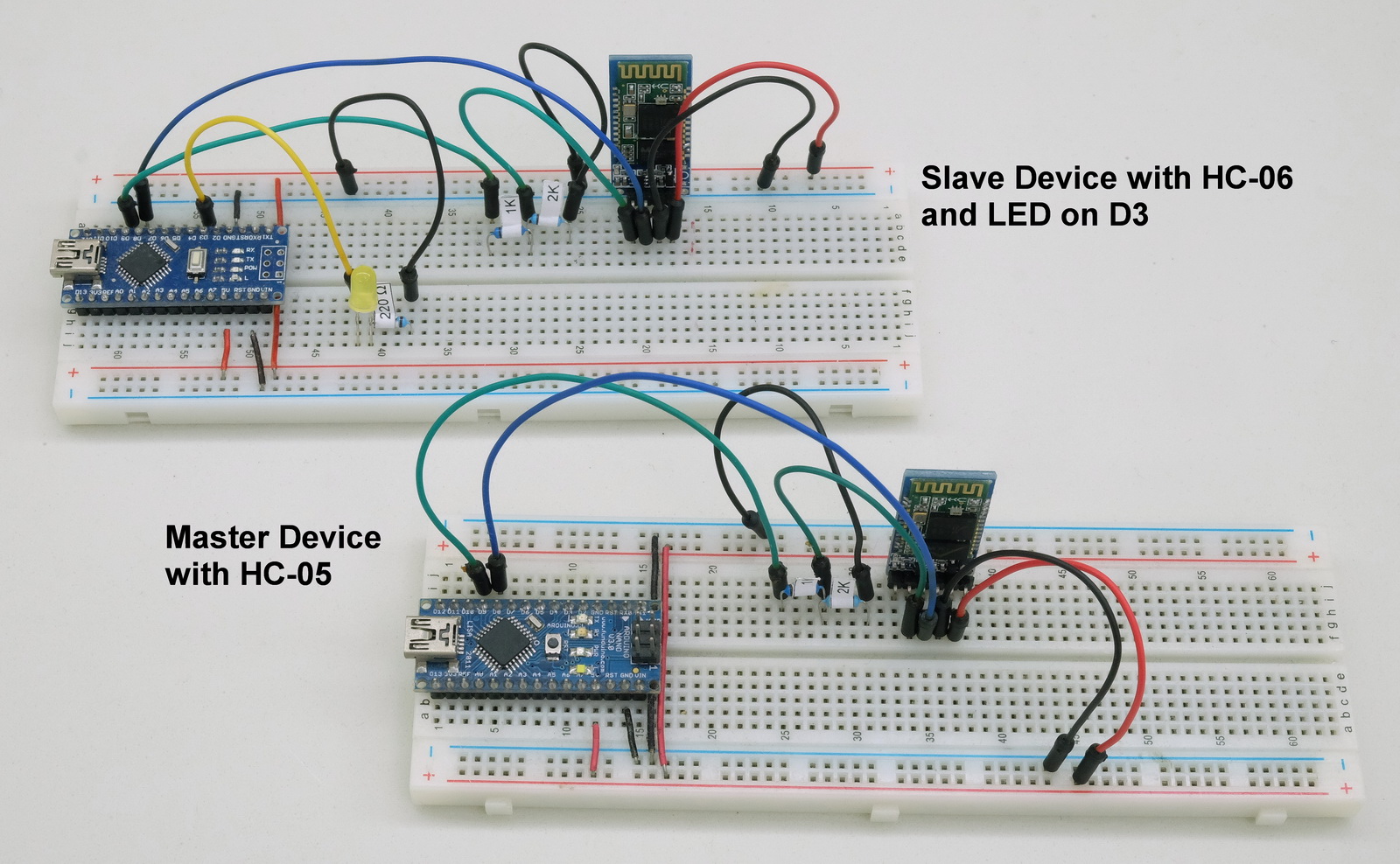
In the Connecting 2 Arduinos by Bluetooth using a HC-05 and a HC-06: Pair, Bind, and Link post I explained how to connect a HC-05 to a HC-06 so that when powered they automatically made a connection. Here we look at using that connection to get Arduinos talking over Bluetooth. Before continuing you need to have the Arduinos and BT modules set up as per the previous post. Here I am using 2 HC-05s. One in master mode the other in slave mode. The setup process for the slave mode HC-05 is the same as the HC-06 in the previous post.

Arduino2ArdionoBT_Breadboards_01_1600

Read more

Bluetooth Modules

new Bluetooth Modules

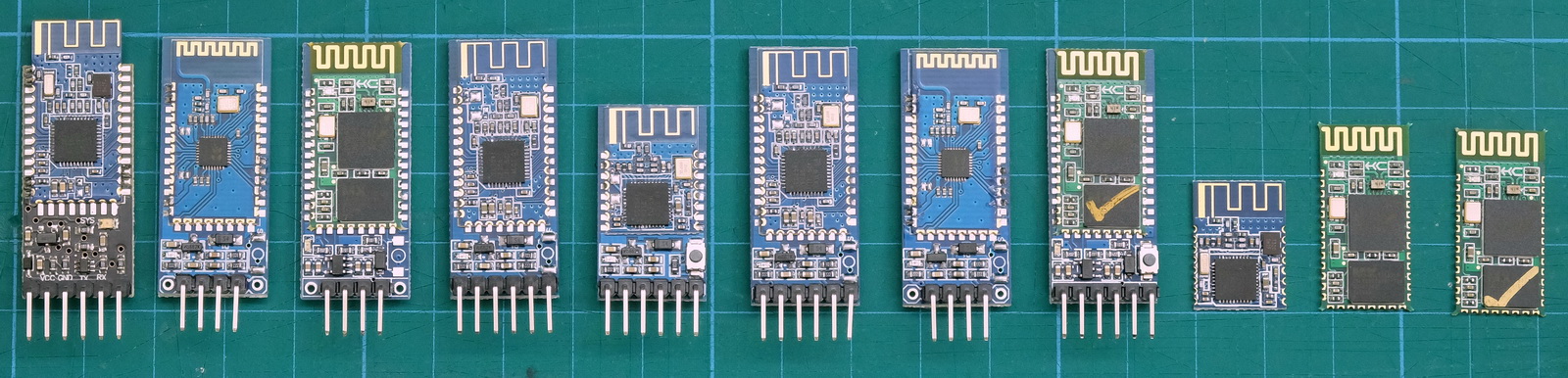
There are many very similar Bluetooth modules available and sometimes it can be difficult finding out, not only which one you have, but also how yo use them. Here I look at some of the modules I have and try to show the basic settings.

Getting Started
Connecting To A Computer
Android Apps

Bluetooth 2.0/2.1 EDR Modules
    HC-06 (ZG-B23090W) Bluetooth 2.0 EDR modules
    HC-05 (ZG-B23090W) Bluetooth 2.0 EDR modules
    SPP-C HC-06 / BT06 HC-06
    HC-06 zs-040 hc01.com v2.0
    HC-05 zs-040 hc01.com V2.1
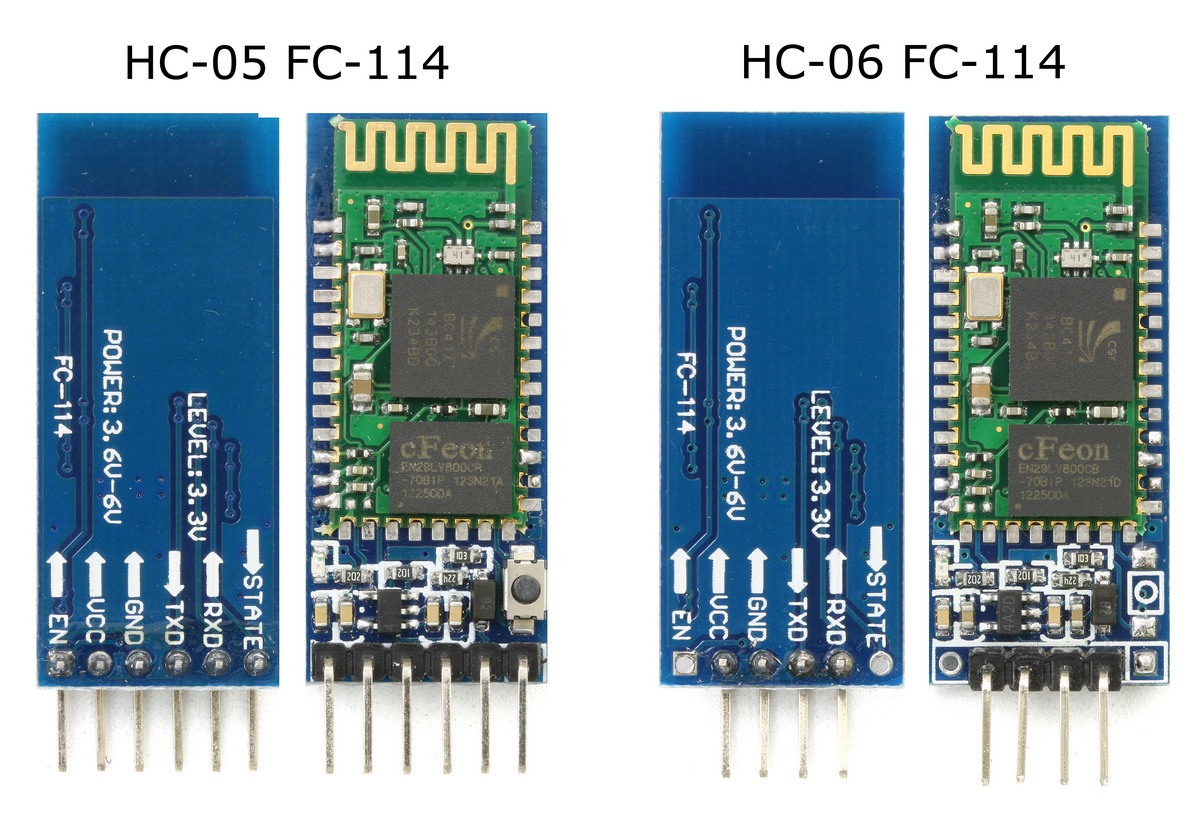
    HC-05 FC-114 and HC-06 FC-114
    HC-05 and HC-06 zs-040 Bluetooth modules

Bluetooth 4 / BLE Modules
    HM-10
    HM-11
    BT05-A mini BLE Bluetooth V4.0 iBeacon
    AT-09 Bluetooth V4.0 CC2541

Read more

ESP8266-01 Bread Board Adapter

Update: 2017-01-15
Although the below adaptor works I found it inconvenient. The rear connectors are blocked by the ESP8288. I therefore built a ESP8266 bread board adaptor version 2

After a lengthy pause I have started playing with the ESP8266 modules again and I was getting annoyed by all the wires when using them on a bread board. So, like others before me, I built a small bread board adapter.

ESP8266BreadbaordAdapter_03_1600

Read more

Android MIT App Inventor – Auto Connect To Bluetooth

In a previous post I showed how to connect an app inventor Android app to a Bluetooth module connected to an Arduino to control an LED. See Turning a LED on and off with an Arduino, a HC-06 and Android

A few people have asked how to make it so that the app auto-connects to the Arduino on start up and I thought I would offer my solution. This example adds to the previous guide.

Read more

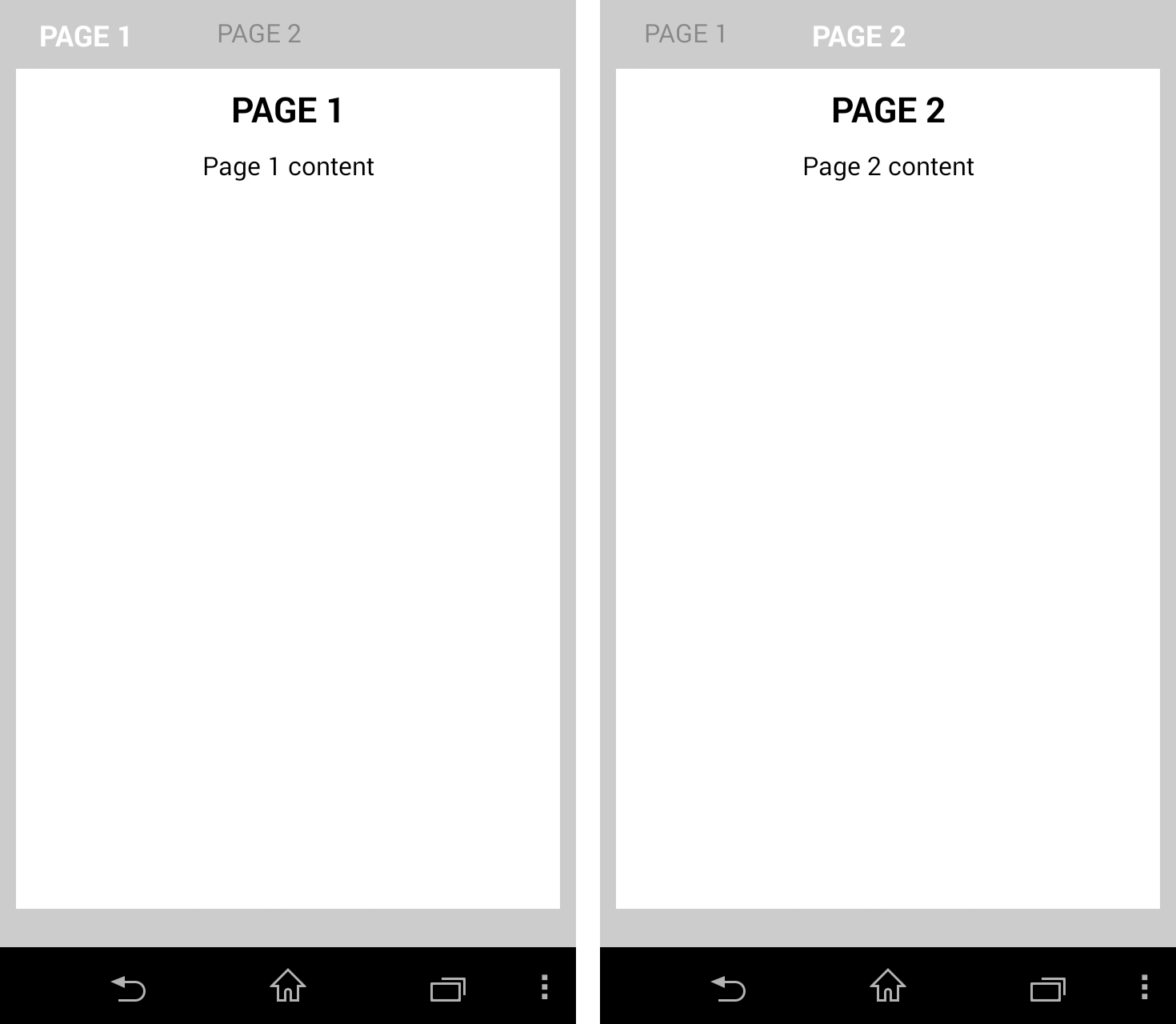
App Inventor 2 Pseudo Screens

A!2_Pseudo_Screens_01
As you may have noticed from some of the other posts, I use App Inventor 2 to create Android apps. I do not have time to learn JAVA programming and I found App Inventor an easy way to get in to the world of Android apps. AI2 is not perfect. It is designed as a teaching aid rather than a fully featured Android programming language and as such there are many things missing. However, you can create some surprisingly advanced apps with it. The Arduino Bluetooth Control and the dropController apps were created in AI2 as is the new Bluetooth Control Panel app.

Read more

HC-05 FC-114 and HC-06 FC-114. Part 3 – Master Mode and Auto Connect

Update 19.09.2015
The FC-114 boards I have have the Bolutek firmware. User DS has reported that he/she has FC-114 boards that have the linvorV1.8 firmware. So if the below does not work for you then check what firmware you have.

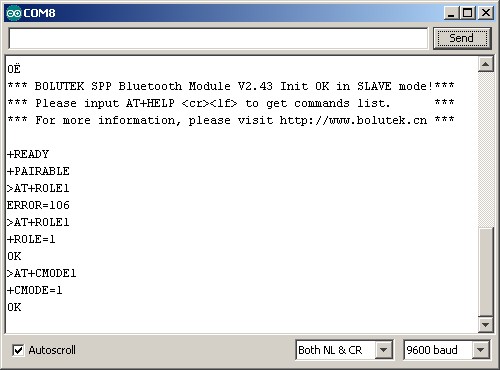
I may be missing something but I can not get the HC-05 FC-114 boards in to Master Mode and connect to other BT devices with just AT commands. The modules say they have accepted the commands, such as AT+ROLE1 but when I try to connect to other modules I get the error message “Can only be used in Lord Mode”.

The modules accept “AT+ROLE1” and report they have changed mode but they haven’t really.

In an earlier post I mentioned that it looks likes pin 27 or pin 28 has to be pulled HIGH to enter Master Mode and this does indeed seem to be the case. Everything I have tried without pulling the pin(s) HIGH has failed.

HC-05_FC-114_autoConnectSerialMonitor01
They reply with “OK” and if you interrogate with “AT+ROLE” they report “+ROLE=1” but they are actually still in Slave Mode.

Read more

HC-05 FC-114 and HC-06 FC-114. Part 2 – Basic AT commands

Update 19.09.2015
The FC-114 boards I have have the Bolutek firmware. User DS has reported that he/she has FC-114 boards that have the linvorV1.8 firmware. So if the below does not work for you then check what firmware you have.

Since the HC-05 FC-114s and the HC-06 FC-11s share the same firmware the following should work on either module.

The default setting on start up is Slave Mode waiting for pairing or a connection and also accepting AT commands. This means it is fairly simply to start using AT commands.

HC-05 FC-114 & HC-06 FC-114_1200

Read more